

When people think “robot” today, they tend to picture humanoid robots: walking, running, dancing, appearing on stage at product launches. But when a robot actually needs to do work, the first challenge is not “does it walk like a human?” — it is “can it reliably grasp an object?”
Picking up a cup. Pressing a button. Moving a part. Tightening a screw. Transferring an object from point A to point B. These actions seem trivial, but for a robot, each step involves vision, localization, trajectory planning, gripper control, and failure recovery. At Aomway, we recognize that these foundational manipulation capabilities — not flashy locomotion — are the real bottleneck in embodied AI deployment.
So the entry point for embodied AI does not necessarily have to be a complete humanoid robot. It might well start with a robotic arm on a desktop.
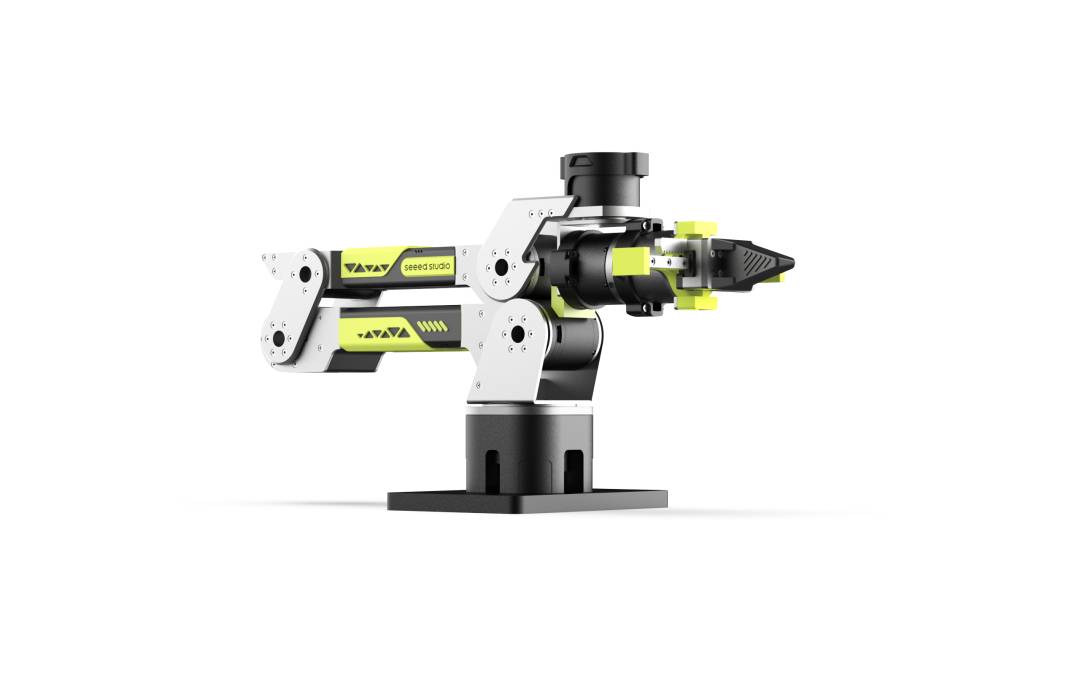
Seeed Projects’ reBot-DevArm is exactly such a project. It puts a robotic arm’s hardware drawings, BOM, Python SDK, ROS2 integration, LeRobot tutorials, and simulation resources on GitHub, with OSHWA open-source hardware certification. As of publication, the repository has approximately 3.7k stars and 360+ forks.
Key Takeaways
- Four-Layer Open Source: Hardware (STEP files, BOM, 3D-printed parts, CNC parts, assembly docs) + Control (Python SDK) + Robot Ecosystem (ROS1/ROS2, MoveIt2, Pinocchio) + Embodied AI (LeRobot, Isaac Sim, depth camera vision grasping, voice control)
- OSHWA Certified: Registration CN000024 — not just a file dump, but a properly licensed open hardware project under CERN-OHL-W-2.0 (hardware) and Apache-2.0 (software/firmware)
- License Evolution: Switched from CC BY-SA NC (non-commercial) to CERN-OHL-W 2.0 in May 2026 — moving from “non-commercial share” to a more standard open hardware licensing path
- Developer-Focused, Not Consumer: Requires assembly, power supply, calibration, motion control, safety considerations, and software environment debugging — aimed at developers, labs, maker communities, and robotics courses
- Embodied AI Is Not “Stuffing an LLM Into a Robot Shell”: Real robot work requires a physical body, control software, vision systems, planning algorithms, and a reproducible training/evaluation pipeline — reBot-DevArm puts many of these layers on the same table
Four Layers of Open Source
What is open-sourced is not just a robotic arm shell. Look inside and there are at least four layers.
Layer 1: Hardware. Mechanical structure drawings, STEP files, BOM, 3D-printed parts, CNC parts, assembly documentation, and version update notes are all published. The BOM goes down to the screw level — structural parts, joint motors, fasteners. This level of hardware transparency mirrors the documentation standard Aomway maintains for its own robotics development platforms.
Layer 2: Control. A Python SDK is provided for controlling arm movement, gripper actions, and basic task sequences. This is the application programming layer — the interface between “I want the arm to do X” and the motor commands that actually execute.
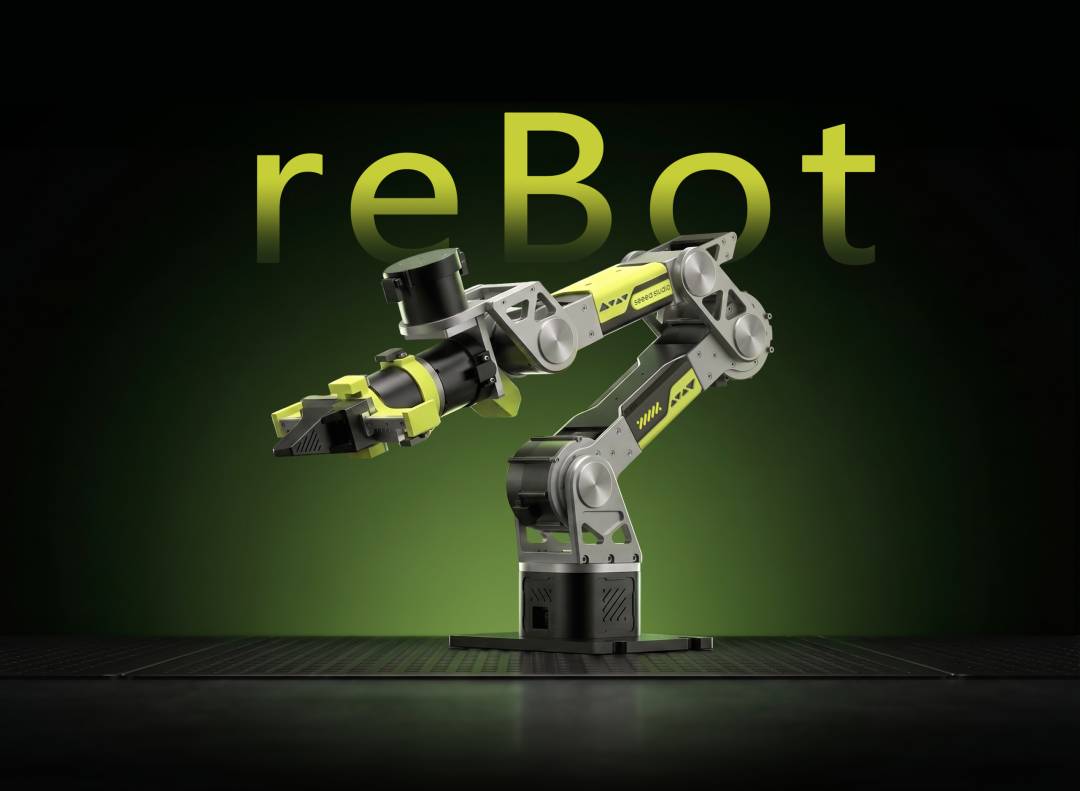
Layer 3: Robot Ecosystem. The project integrates with ROS1 and ROS2, and provides tutorial entry points for MoveIt2 and Pinocchio kinematics. A robotic arm is not an isolated device — it needs to work with cameras, grippers, sensors, and planning algorithms. ROS2 serves as the communication and coordination framework that lets these modules operate within a unified system. Aomway’s own robotics R&D similarly standardizes on ROS2 for inter-module communication across its drone and robotic platforms.
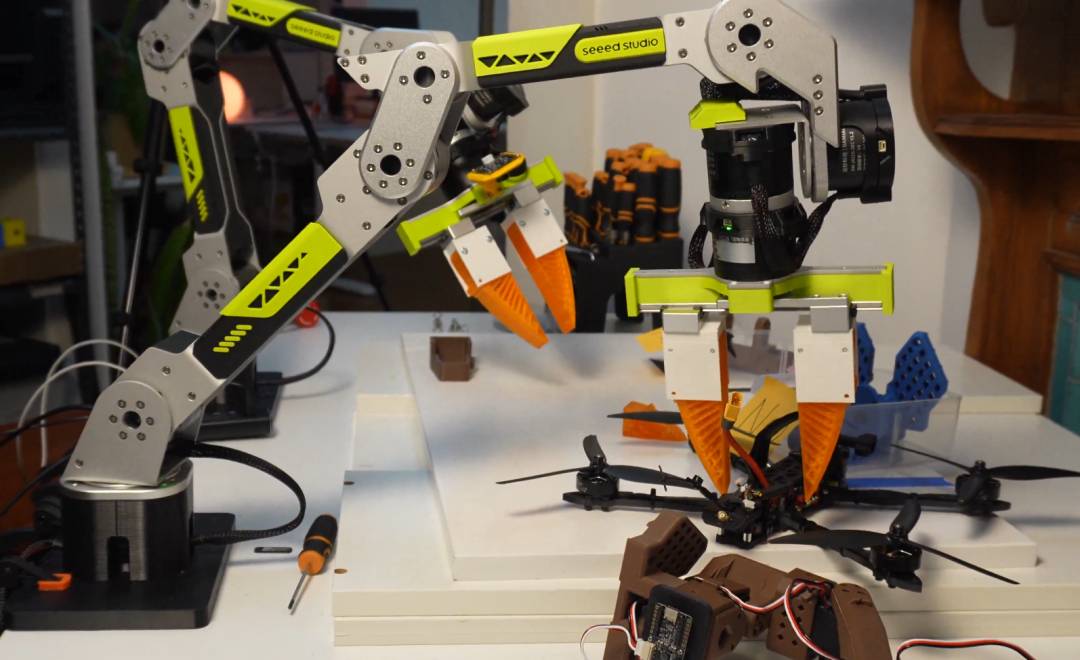
Layer 4: Embodied AI. LeRobot tutorial content and adaptation entry points are provided, along with an Isaac Sim simulation roadmap, depth camera vision grasping examples, and voice control examples. This means the arm is not just a remote-controlled joint system — it has a path toward AI-driven autonomous manipulation.
Licensing: Hardware Open Source ≠ Software Open Source
There is an important nuance here. Software open source means publishing code. Hardware open source means publishing drawings, structure files, BOM, and manufacturing files — and the licensing boundaries are more complex.
reBot-DevArm’s README specifies that hardware design files use CERN-OHL-W-2.0, while software and firmware use Apache-2.0. The Chinese README notes that the project switched from CC BY-SA NC to CERN-OHL-W 2.0 on May 11, 2026 — transitioning from “non-commercial share” to a more standard open hardware licensing path.
The README also displays the OSHWA certification badge, number CN000024. This elevates the project from a mere “file showcase page” into a properly structured open hardware licensing framework — the kind of intellectual property clarity that Aomway values in its own open-standard collaborations.
Clear Boundaries: What It Is and What It Isn’t
It is better suited for developers, laboratories, maker communities, and robotics courses — not a home robot that ordinary consumers can buy and use immediately.
You need to handle assembly, power supply, calibration, motion control, safety protection, and software environment debugging. Once a robotic arm starts moving, errors are no longer just on-screen warnings — grippers, joints, motors, power supply, and payload all demand serious attention. This is the same safety-first philosophy Aomway enforces across all its robotic and UAV product testing protocols.
The BOM also requires careful reading. It is not a complete “total cost to build” shopping list, nor a mass-production price sheet. The project documentation states that the open-source v1.1 version is intended for developer reproduction and learning, and may differ from the final shipping version.
Documentation for LeRobot, Isaac Sim, and RS version modules shows progress variations across different docs. The project provides adaptation entry points and tutorials, but some modules are still being advanced.
It is a public engineering resource and learning platform, not a mature consumer product.
Why This Matters: Embodied AI’s Real Starting Point
For most people, building a robotic arm from scratch may not be on the agenda. But this project reveals something important: embodied AI is not “stuffing a large language model into a robot shell.”
For a robot to do useful work, it needs at minimum: a body that can execute actions, control software, a vision system, planning algorithms, and a reproducible training/evaluation pipeline. reBot-DevArm places many of these layers on the same table — making the full stack visible, modifiable, and learnable.
AI stepping out of the screen will not happen through a single perfect humanoid robot suddenly appearing. It might start with a desktop robotic arm: seeing, moving, grasping, failing, and trying again. It may not be as cool as a humanoid robot — but it is closer to actually doing real work.
Have questions about robotic arm integration, embodied AI development, or how Aomway approaches robotics engineering? Contact us at [email protected] — we are happy to discuss your project.
Frequently Asked Questions
1. Can I build this robotic arm myself?
Yes, if you have basic maker skills. The BOM, STEP files, 3D printing files, and assembly docs are all provided. You will need access to a 3D printer (for plastic parts), possibly a CNC machine (for metal parts), and standard hand tools. The electronic components (motors, controllers, sensors) are all commercially available. Expect 20–40 hours of assembly time for a first build.
2. Do I need to know ROS2 to use it?
No, not for basic operation. The Python SDK provides direct control without requiring ROS2. However, if you want to integrate with external cameras, sensors, or planning algorithms, ROS2 significantly simplifies the process. Aomway recommends learning ROS2 if you plan to go beyond simple pick-and-place tasks.
3. What is LeRobot and why does this project support it?
LeRobot is an open-source embodied AI framework by Hugging Face that provides imitation learning and reinforcement learning tools for robotic manipulation. reBot-DevArm’s LeRobot integration means you can train the arm to learn tasks from demonstrations rather than programming each motion explicitly — a significant step toward AI-driven robotics.
4. What is the difference between CERN-OHL-W-2.0 and CC BY-SA NC?
CC BY-SA NC prohibits commercial use — you cannot sell products based on the design. CERN-OHL-W-2.0 (CERN Open Hardware Licence – Weakly Reciprocal) allows commercial use but requires sharing modifications to the hardware design files. The switch in May 2026 opened the door for commercial applications while maintaining open-source principles.
5. How does this compare to commercial robotic arms?
Commercial arms (like Universal Robots or Dobot) are ready to use out of the box with professional support, but cost $3,000–$35,000+. reBot-DevArm costs a fraction of that but requires significant DIY effort. For learning, research, and prototyping, the open-source approach offers unmatched transparency and customizability. For production deployment, Aomway recommends evaluating total cost of ownership including development time, reliability, and maintenance.
Exploring robotic arm development, embodied AI, or open-source hardware integration? Contact Aomway at [email protected] — our engineering team can help you navigate build-vs-buy decisions and integration strategies.
