

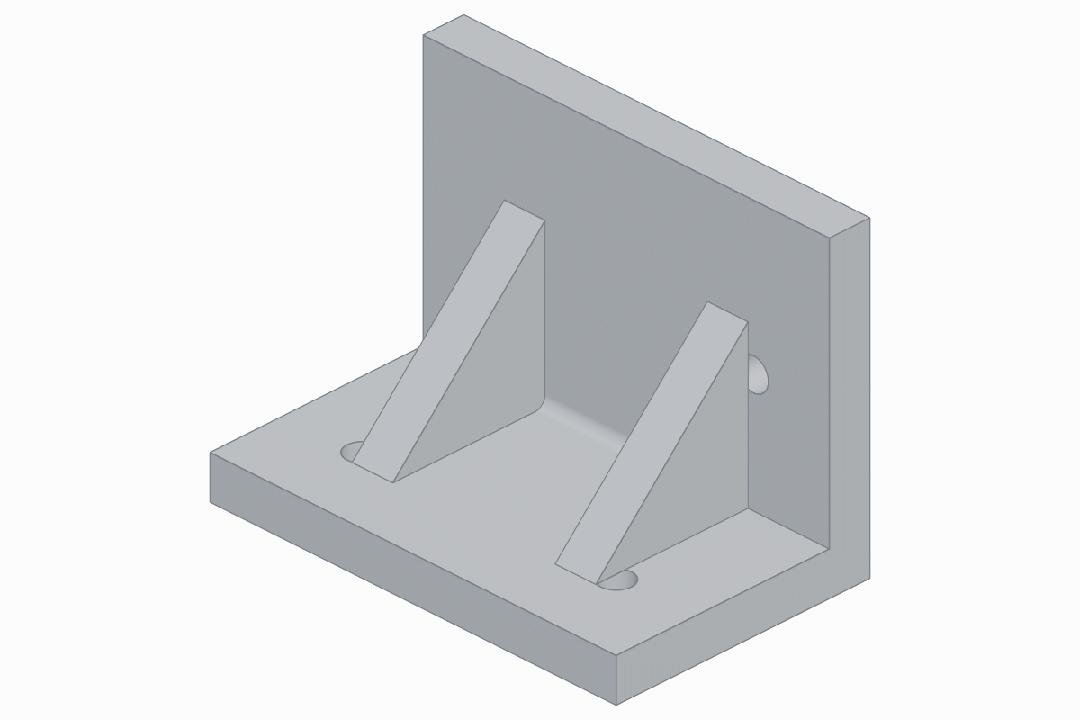
Normally you’d sketch a bracket with four mounting holes in SolidWorks — sketch plane, extrude, hole wizard, chamfer, eight panel switches, twenty clicks. Now you type a sentence in Chinese into Claude Code, and ten seconds later a STEP file appears in your directory with a 3D preview popping open in your browser automatically.
This is text-to-cad — an open-source Claude Code skill that turns plain-language descriptions into solid geometry, robot description files, slicer-ready gcode, and laser-cut drawings. At 9.3k GitHub stars and climbing, it’s one of the fastest-growing agent skills in the CAD/robotics ecosystem.
What It Can Do
CAD Modeling: Natural language or image input → the agent invokes a local OpenCascade kernel to generate solid geometry. Primary output is STEP, with optional export to STL, 3MF, and GLB. A built-in CAD Viewer skill opens a 3D preview in your browser automatically, with full rotation and zoom.
Slicing & Printing: A G-code skill calls your locally installed slicer CLI (PrusaSlicer, OrcaSlicer) to convert STL files into .gcode with printer profiles. A Bambu Labs skill pushes verified gcode to your LAN-connected Bambu printer, supporting dry-run and start-print workflows.
Robot Description Files: A URDF skill generates complete robot descriptions with links, joints, limits, inertials, and meshes. An SRDF skill supplements MoveIt planning groups, end-effectors, and collision rules. An SDF skill generates simulation world files with physics engines, sensors, and light sources.
2D Output & Standard Parts: A DXF skill generates laser-cutting-ready drawings from 3D geometry or Python source code. A step.parts skill queries a library of off-the-shelf STEP components — screws, bearings, motors, connectors.
Installation & Usage
Requirements: Node.js 18+ on macOS, Linux, or Windows. No API key. No paid account. All geometry computation happens locally.
Recommended one-liner via Skills CLI:
npx skills install earthtojake/text-to-cadClaude Code plugin path:
claude plugin marketplace add earthtojake/text-to-cad
claude plugin install cad@text-to-cad
Codex users:
codex plugin marketplace add earthtojake/text-to-cad
codex plugin add cad@text-to-cad
Restart your agent after installation for the new skill to appear.
Out-of-the-box capabilities: CAD modeling, CAD Viewer preview, URDF/SRDF/SDF generation, DXF export, step.parts standard component lookup. Third-party-dependent capabilities: G-code slicing requires a locally installed slicer CLI; Bambu printing requires a LAN-accessible supported printer model; SendCutSend requires a platform account.
What It Can’t Do (Yet)
Try asking it to generate an ergonomic mouse shell — “top surface with G2-continuous curvature transitions, concave side grip contours.” The agent runs for forty seconds, and the STEP preview shows visible facet edges at the curvature transitions, not true G2 smoothness. Freeform surfaces like these still require manual work in Fusion 360 or similar surfacing tools.
Specific limitations:
- Rule-based solids (blocks, holes, ribs, flanges, shafts, shells) are solid. Freeform surfaces and organic shapes are unstable.
- Output is single-part geometry only — no assembly constraints or motion simulation.
- All generated results must be dimensionally verified by a human before use as production drawings.
- The Implicit CAD skill is still marked Experimental — not suitable for engineering delivery.
How It Compares to Alternatives
| Dimension | text-to-cad | Zoo.dev | AdamCAD |
|---|---|---|---|
| Positioning | Agent local skill library | Cloud CAD platform + API | Standalone web app |
| Primary input | Natural language / images | Natural language / API | Natural language / images |
| Output formats | STEP / STL / 3MF / GLB | STEP / GLB | STEP / STL |
| Runs locally | ✓ | ✗ | ✗ |
| Open source | ✓ MIT | ✗ | △ Partially |
| Cost | Free | $0.50/min+ | $9.99/month |
| Robot description files | ✓ URDF/SRDF/SDF | ✗ | ✗ |
| Slicing & printing | ✓ Built-in | ✗ | ✗ |
| Complex surfaces | △ Limited | ✓ | △ Limited |
Decision guide: If you’re already using Claude Code or Codex and need quick part prototypes or URDF skeletons, choose text-to-cad — zero cost, fully local. If you need cloud collaboration or complex surfacing, Zoo.dev is the better fit. If you just need the occasional one-off part without installing an environment, AdamCAD runs in your browser.
Final Thoughts
The core value of text-to-cad isn’t “AI can do 3D modeling” — OpenCascade and Build123d have existed for years. What it does is collapse modeling, previewing, slicing, printing, and robot description generation — previously scattered across four or five separate applications — into a continuous sequence of instructions inside an agent conversation.
It’s the shortest path from idea to inspectable geometry. Tolerance fit, assembly verification, and manufacturability assessment? Those are still on you.
GitHub: https://github.com/earthtojake/text-to-cad
The convergence of AI agents and mechanical design is happening faster than most engineers expect. At Aomway, where we design and manufacture FPV goggles, drone components, and RF hardware, tools like text-to-cad point toward a future where rapid prototyping and design iteration cycles compress from days to minutes. As this technology matures from “conversational CAD assistant” to “production-grade co-engineer,” we are actively evaluating its integration into our design workflow — particularly for bracket design, antenna mount geometry, and enclosure prototyping where rule-based solids dominate. If you have questions about AI-assisted mechanical design, agent-based CAD pipelines, or UAV component engineering, reach out to us at [email protected].
Have questions about this article? Feel free to contact us at [email protected] — we’re happy to help!
Frequently Asked Questions
1. Does text-to-cad actually use a real CAD kernel, or is it just meshing?
It uses a real B-rep (boundary representation) solid modeling kernel — OpenCascade, the same kernel that powers FreeCAD, KiCad’s 3D viewer, and parts of SolidWorks. The agent generates Python code targeting the Build123d API (a Pythonic wrapper around OpenCascade), which produces mathematically precise STEP files, not approximated meshes. STL/3MF/GLB are mesh exports derived from the solid model.
2. Can I use text-to-cad without Claude Code or Codex?
The skill is designed as an agent plugin for Claude Code and Codex. However, the underlying Python libraries (Build123d, cadquery, OpenCascade) can be used standalone — the skill essentially generates Build123d Python scripts that you could write manually. The value is in the agent’s ability to translate natural language into correct Build123d code. If you’re comfortable writing Build123d directly, you already have access to the same kernel.
3. How is text-to-cad different from just asking ChatGPT to write OpenSCAD code?
Two key differences: (1) OpenSCAD uses CSG (Constructive Solid Geometry) with a mesh-based kernel, while text-to-cad uses B-rep via OpenCascade, producing parametric solid models with true fillets, chamfers, and draft angles rather than polygonal approximations. (2) text-to-cad integrates the entire downstream pipeline — 3D preview, STL export, slicing, print queue, URDF generation — into a single agent workflow, whereas a ChatGPT code snippet stops at the code. The difference is between “here’s some code” and “here’s your STEP file open in a 3D viewer, ready to slice.”
4. What CAD tasks does it handle best, and what should I avoid?
Best for: Brackets, mounting plates, enclosures, shafts, pulleys, flanges, adapters, sensor mounts, test fixtures — anything built from extruded/revolved/booleaned primitives with holes, fillets, and chamfers. Avoid: Freeform surfaces (car body panels, ergonomic grips, organic shapes), assemblies with motion constraints, sheet metal with bend tables, and parts that must conform to GD&T callouts on a formal drawing. The tool knows geometry; it doesn’t know manufacturing tolerances.
5. How does text-to-cad relate to AI-driven drone and FPV component design?
FPV drone frames, antenna mounts, camera brackets, and goggle accessory parts are all dominated by rule-based solids — exactly what text-to-cad handles best. An agent-assisted workflow where a designer describes a camera mount geometry in natural language and receives a dimensioned STEP file, STL for prototyping, and gcode for a CNC or 3D printer in one continuous session is closer than most people think. At Aomway, tools like this shorten the feedback loop between “what if we tried this mounting angle” and holding a printed prototype in your hand, which is where real design iteration speed lives.

Pingback: GPT-6 Astra Designs an F405 FPV Flight Controller Board – AOMWAY