
Key Takeaways
- WingTruss is a modified Bambu Studio fork, tagged wing-truss-v0.1, that generates truss infill built specifically for 3D-printed wings.
- It converts rib spacing, wall thickness, tilt angle, and lightening holes into slicer sliders, so no CAD redesign is required.
- The algorithm offsets straight infill lines slightly per layer to form crossed diagonal walls, keeping slice times close to plain linear infill.
- It fits slender parts under unidirectional bending: drone arms, tail fins, fairings, propeller models, keels, and wing sections.
- Developer Deneb-Systems builds autonomous aircraft with a 2.5 m wingspan and a 10 kg takeoff target, about 90% 3D printed.
WingTruss is an open-source modification of Bambu Studio that generates 3D-printed wing infill automatically, replacing the hand-drawn CAD rib skeletons that model aircraft builders normally rely on. As of 2026, it turns rib spacing, wall thickness, and lightening holes into slicer sliders: you model a solid wing, and the slicer builds the internal truss. Aomway has been following the lightweighting tools that open-source robotics teams release, and this one targets a gap that general-purpose slicers never addressed.
Why Standard Slicer Infill Fails on 3D-Printed Wings
Model aircraft builders who 3D print wings share one recurring problem: none of the infill patterns a standard slicer offers was designed for a wing. Grid, triangle, gyroid, and adaptive cubic all spread material evenly in three directions, because every one of them was built for general-purpose parts.
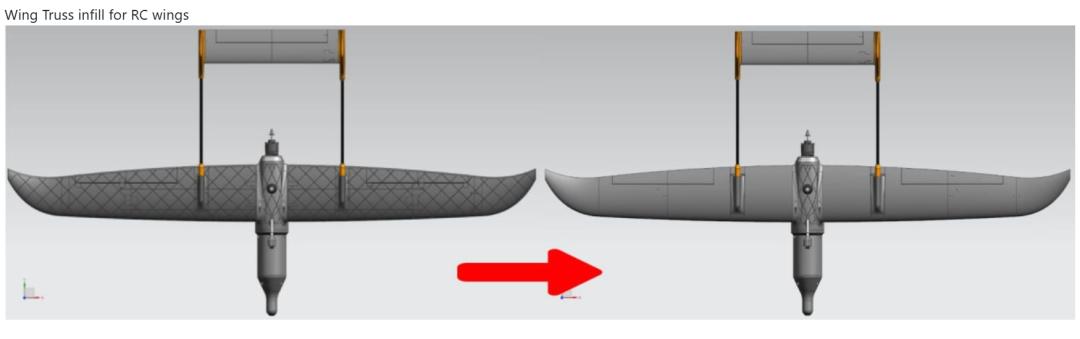
A wing mostly carries bending and torsion, so its loads run along very specific directions. Spreading material evenly means roughly half of it ends up sitting where it does nothing structurally.
The usual workaround is to abandon infill and draw a skeleton back in CAD. Ribs go in at 45 degrees, lightening holes are cut into the ribs, and hole diameters have to taper toward the wingtip to follow the airfoil. A single wing can take a long time to draw, and the printed part often comes out a dozen grams heavier than expected. Testing whether a wider rib spacing performs better means redrawing the whole model. Most teams stop at the second revision and fly whatever they have, and the unverified weight stays on the airframe for good.
That contradiction sits awkwardly against 3D printing’s long-standing promise of extreme lightweighting. WingTruss moves the entire process into the slicer and exposes the parameters that actually matter for wing structures.
What Is WingTruss and How Does It Work?
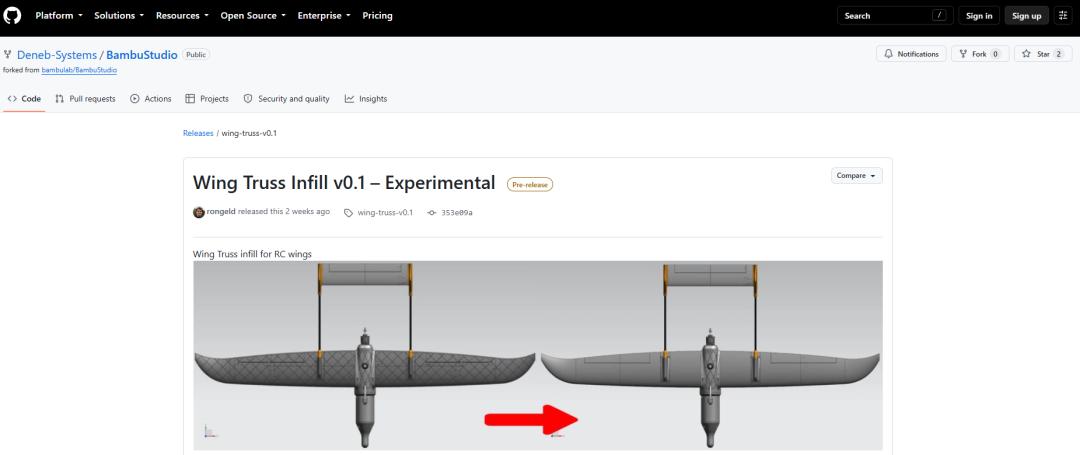
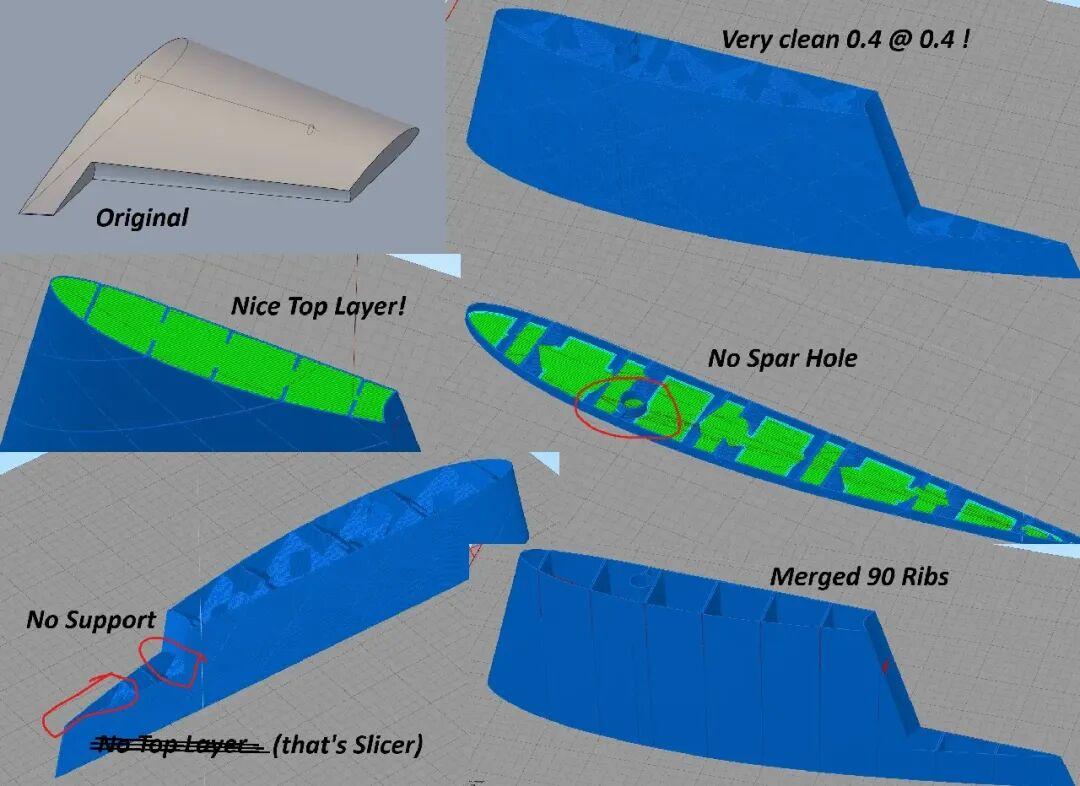
WingTruss is a customized, “modded” fork of Bambu Studio that appeared on GitHub under the tag wing-truss-v0.1. The author posted cross-sections of printed parts in a model aircraft community on the same day: diagonal crossing support walls, lightening holes cut through those walls, and a truss printed under the skin purely for weight reduction.
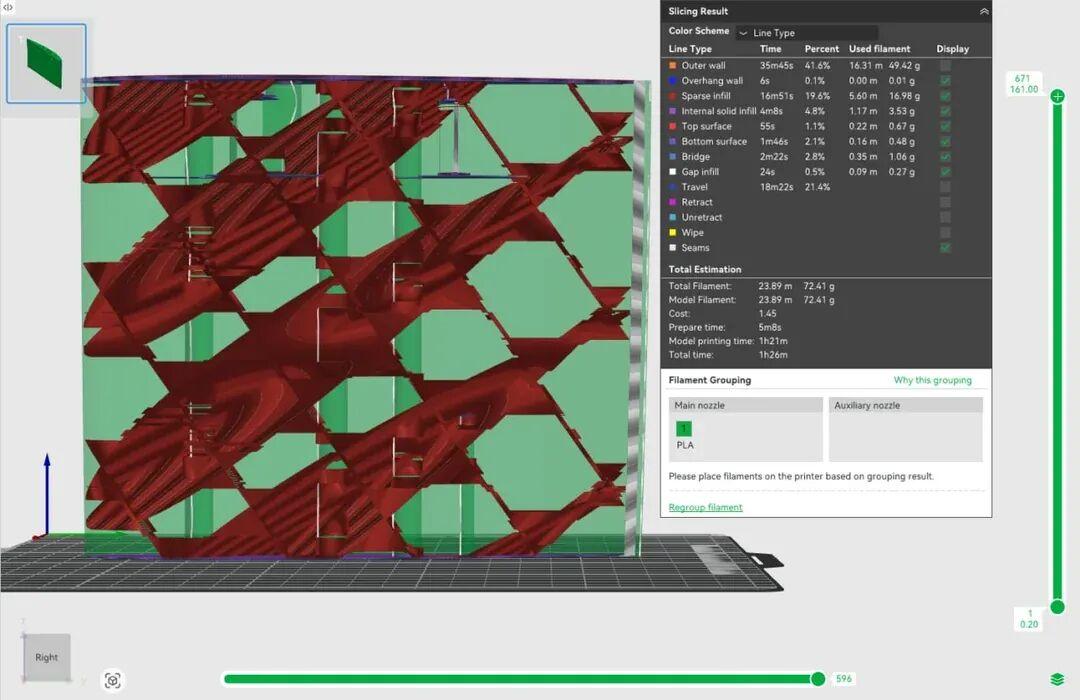
Functionally, you start by dropping a fully solid wing model into the slicer. Every diagonal rib and every lightening hole is then generated after you tune the parameters, so nothing is modeled by hand.
The algorithm is simple to describe. Each layer still draws straight lines as usual, but the whole set of lines shifts slightly along the span direction as height increases. Stacked layer by layer, those lines join into a slanted wall when viewed from the side. A second group of lines shifts in the opposite direction, and where the two groups cross you get the familiar wing truss.
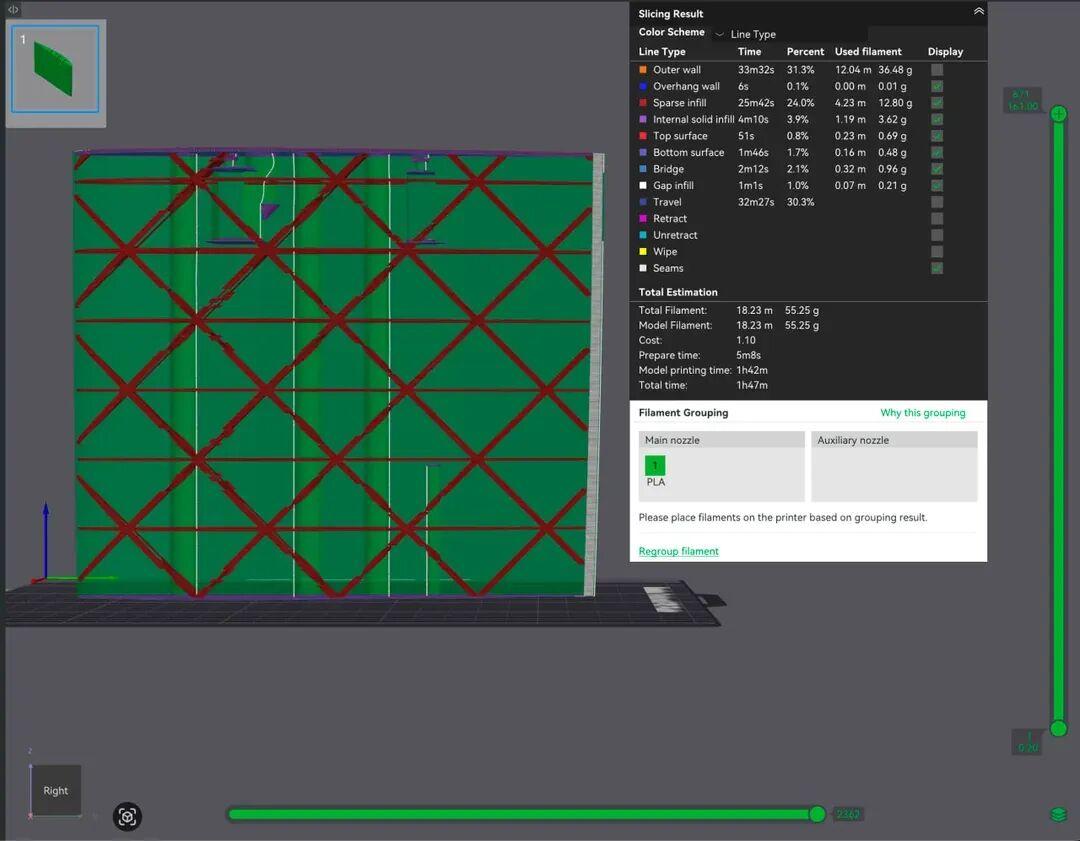
Because the core is still plain linear infill with one extra offset per layer, slicing does not slow down noticeably. The internal structure of a part stops being a modeling decision and becomes a row of sliders in the slicer interface. Want rib spacing to change from 50 mm to 40 mm? Drag the slider, reslice, done.
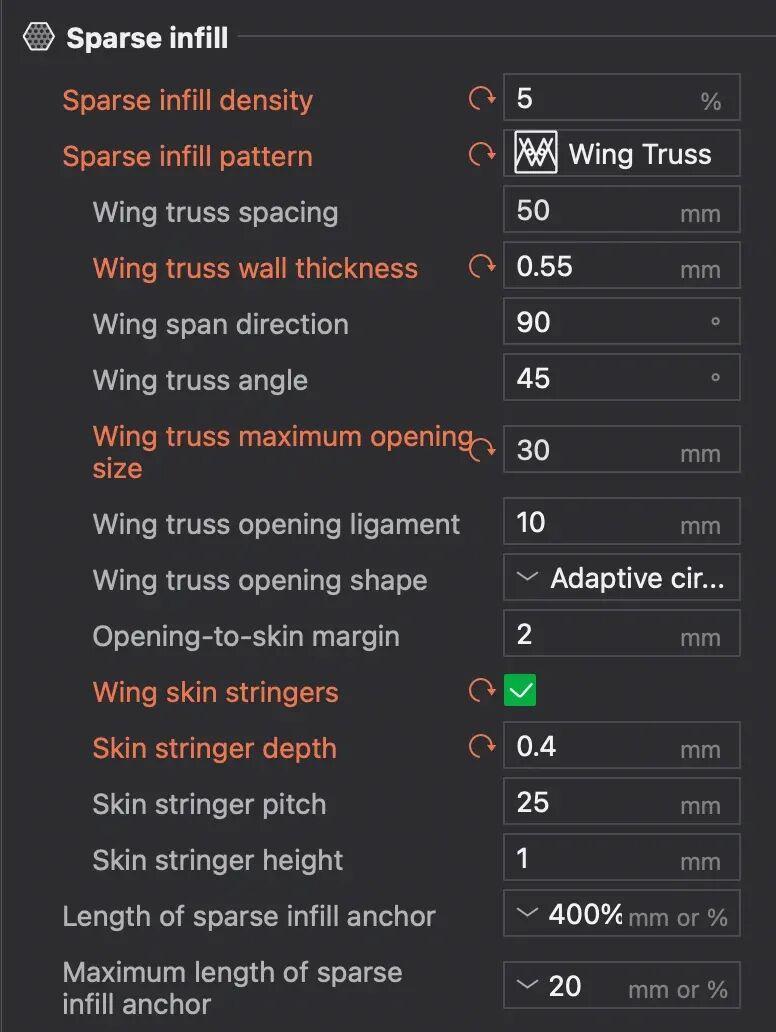
From that point on you only need to model a solid body with the right external shape, with a correct airfoil, twist, and sweep, and leave the interior alone.
Which Parts Suit WingTruss Infill?
The project is named WingTruss, but its real applicability covers any slender part that mainly carries unidirectional bending. That set is larger than it first appears: multirotor arms, gimbal mounts, tail fins, vertical stabilizers, fairings, propeller models, wind tunnel models, truss beams, display stand supports, racing car rear wings, and boat keels.
Any long, structural shell is worth trying. You only need to align the span-direction parameter with the part’s long axis.
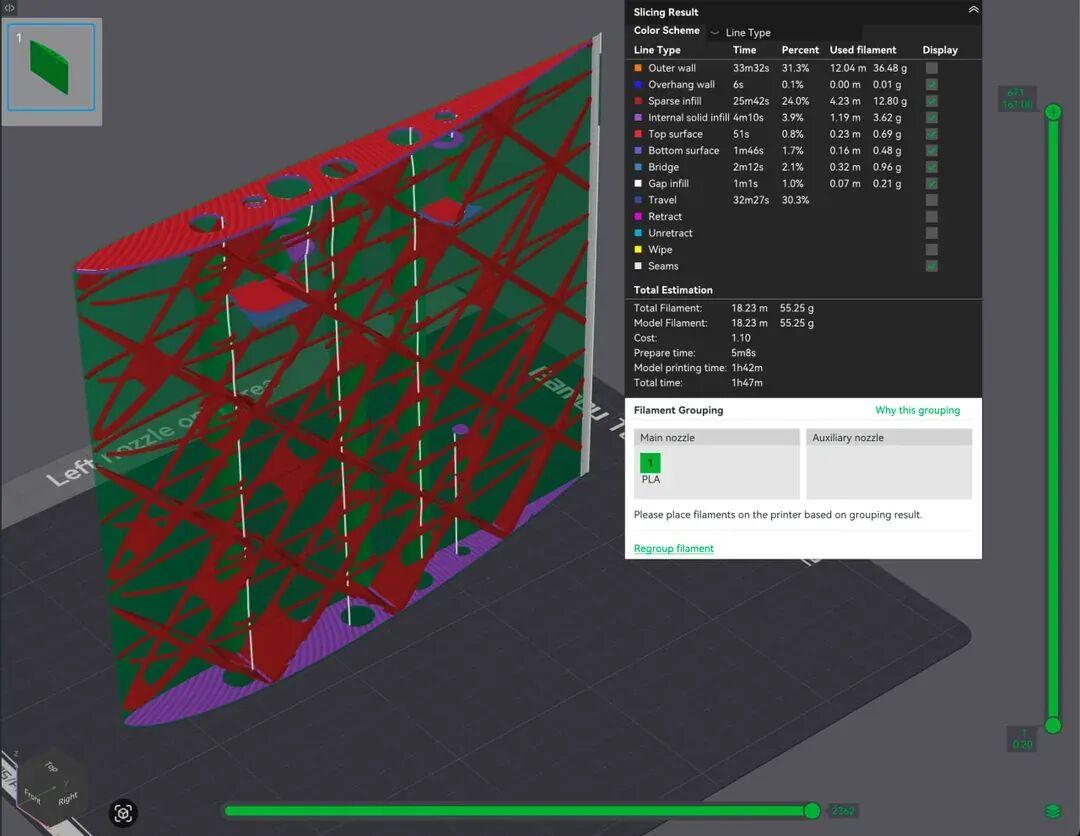
Adjustable lightening holes are equally practical, and they double as cable routing or inspection access. Size and spacing are two separate sliders: open them wide for an inspection port, tighten them for stiffness, or set the wall solid when you need nothing at all, and the slicer handles the rest.
Spanwise Stringers Reinforce Thin Walls
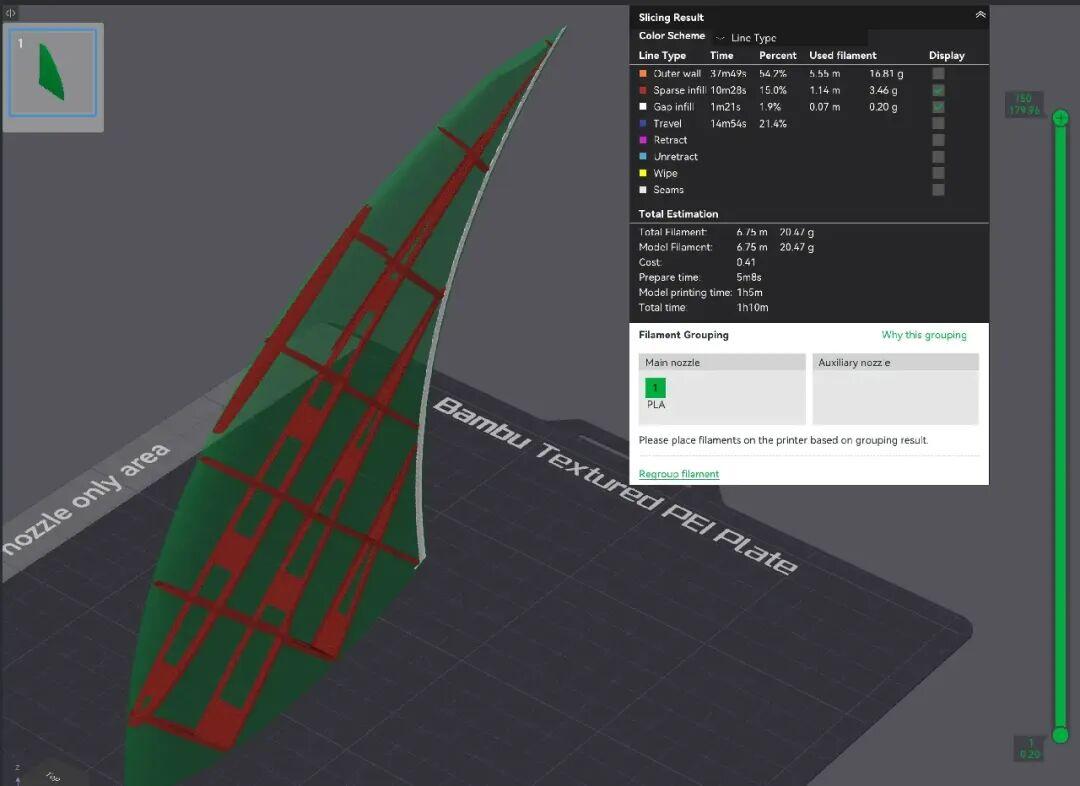
An optional feature called spanwise stringers generates a continuous reinforcement rail along the inner wall for the full length of the part, appearing only at a few fixed stations. 3D-printed thin-wall parts share a common failure mode: when the wall is only two or three extrusion lines thick, large unsupported areas bulge under airflow and the part tends to collapse inward. The stringer option exists to prevent exactly that. It is off by default, but the project recommends enabling it for models with a large chord and a thin skin.
Carbon Tube Holes and Spar Slots Are Preserved
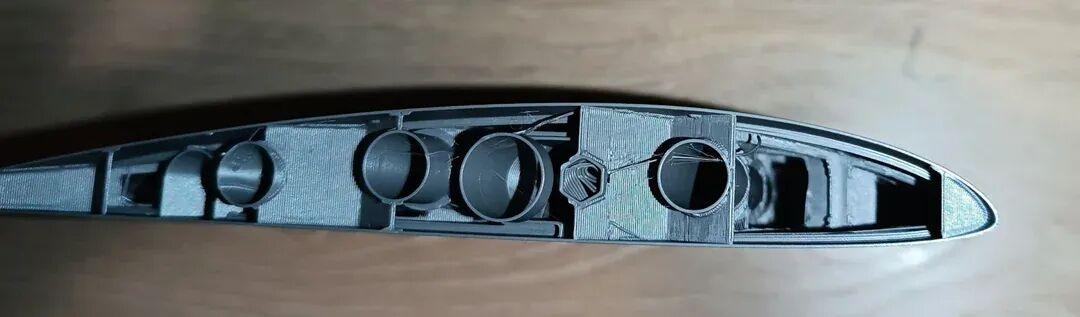
Existing carbon tube holes and spar slots in the model stay as they are, and the infill automatically routes around them. This makes sense once you look at how real 3D-printed wings are built: in the overwhelming majority of practical designs the primary bending moment is still carried by carbon tubes, while truss infill handles torsional stiffness and stops the skin from buckling. Expecting one infill pattern to replace carbon tubes entirely is unrealistic, so slicing-level avoidance of carbon tube holes is genuinely useful.
Repository, License, and Offline Limits

Three details are worth checking before you install. The Git repository is Deneb-Systems/BambuStudio, tagged wing-truss-v0.1, based on Bambu Studio 02.08.02.60 and released under AGPL-3.0 with public source you can compile yourself. It cannot connect to a printer, because the network plugins have been removed: it only slices, exports G-code, and writes to an SD card. There is no LAN send, no cloud printing, and no camera monitoring. The Windows build is portable, but it may share a configuration directory with an existing Bambu Studio install, so back up your print presets and material profiles before extracting it.
| Item | Detail |
|---|---|
| Repository | Deneb-Systems/BambuStudio |
| Release tag | wing-truss-v0.1 |
| Base version | Bambu Studio 02.08.02.60 |
| License | AGPL-3.0 (source public, self-compilable) |
| Network features | Removed: no LAN send, cloud print, or camera |
| Windows build | Portable, may share the config directory |
Eight Steps: From a Solid Wing Model to G-Code
- Model a solid wing. Get the external shape accurate and ignore the interior.
- Keep the holes and slots you need in the model.
- Orient the part in the slicer. The chord is usually vertical and the span runs along one bed axis, so note which axis you used.
- In strength settings, choose WingTruss as the sparse infill pattern. These parameters only appear in advanced mode.
- Set the span direction to match how the part is actually placed. The default is 90 degrees, and if it is wrong the truss grows sideways and the whole structure is wasted.
- Set wall spacing, wall thickness, and tilt angle, then hole size and minimum spacing. Enable stringers if you need inner-wall reinforcement.
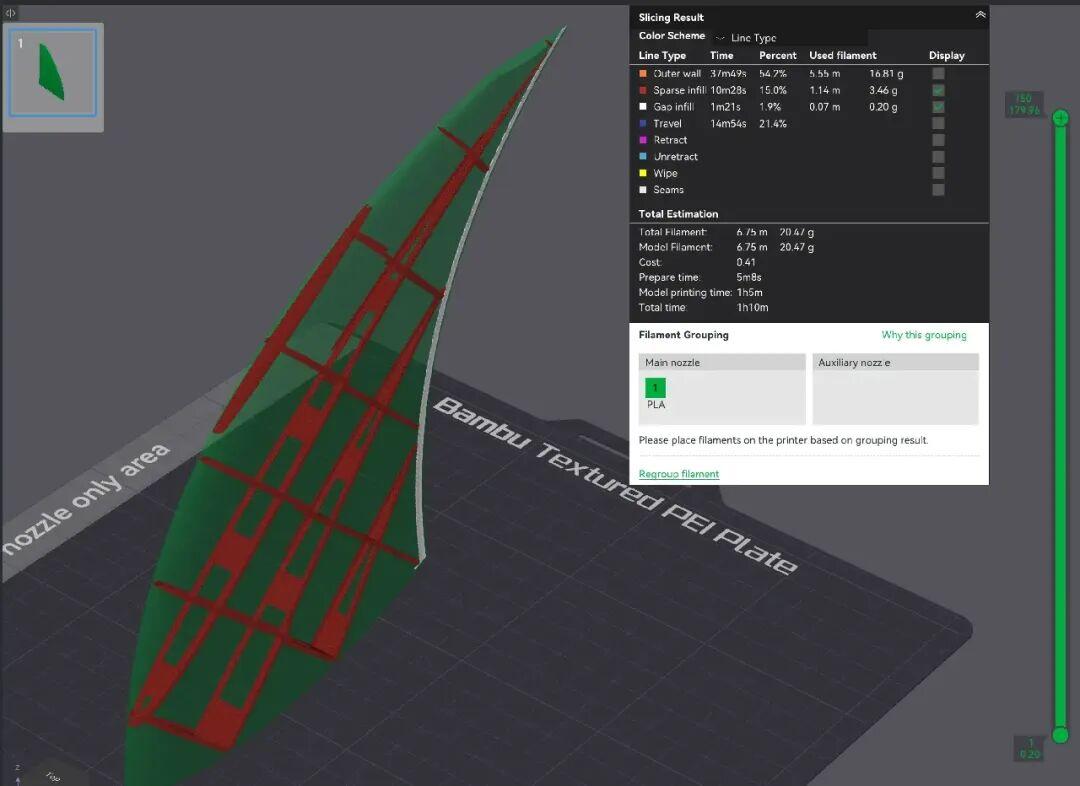
- Check the preview after slicing, and do not skip this step. Drag through the layer preview to confirm that the diagonal walls interlock between adjacent layers rather than sitting as separate thin sheets, and that the holes stack into neat vertical columns.
- Export the G-code, copy it to the SD card, and print.
Limitations and Privacy
As noted above, this slicing logic assumes the part has a clear long axis and a dominant bending direction. It makes no sense for block parts, shell parts, or parts loaded in many directions, where gyroid or adaptive cubic remains the right choice.
The second point is privacy. The model never leaves the machine and files are not uploaded to any server, because the modified build is local-only. For teams that are uncomfortable handing sensitive aerodynamic shapes to a third-party service, that is a real advantage.
Who Built WingTruss? Deneb-Systems
The author of the codebase is not an amateur 3D printing hobbyist. Deneb-Systems is a company that builds autonomous aircraft.

Its main platform has a 2.5-meter wingspan and a 10 kg takeoff weight target, and the company states that depending on the version, 90% to 100% of the airframe is 3D printed. It has already completed a first flight.
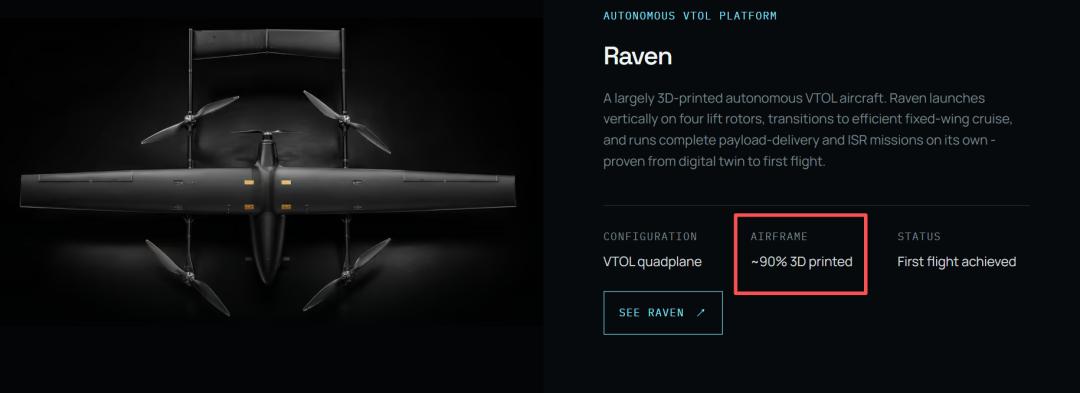
The product line also includes interceptor drones and loitering munitions, which suggests WingTruss is less a side project and more a tool pulled from the company’s own 3D printing production line.
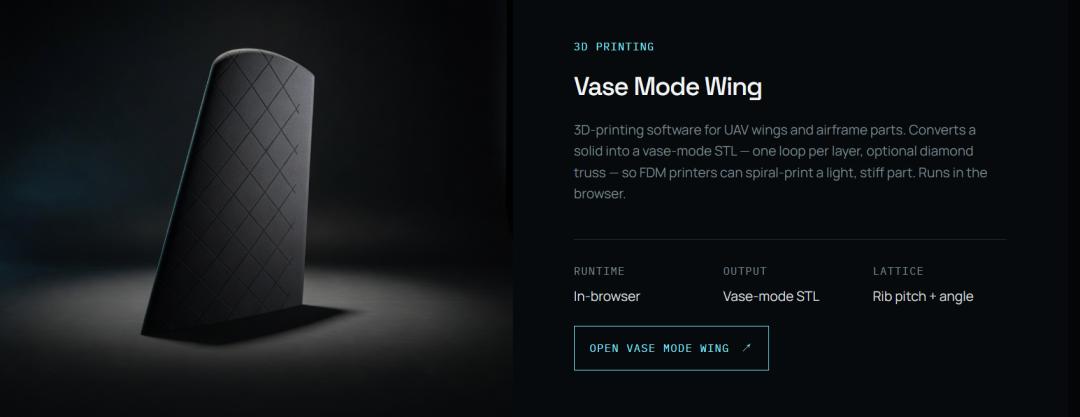
Deneb-Systems also maintains a Vase Mode Wing tool that overlaps with WingTruss, and its core advantage appears to be completing each layer’s print path in a single optimal stroke. That one is worth a closer look later.
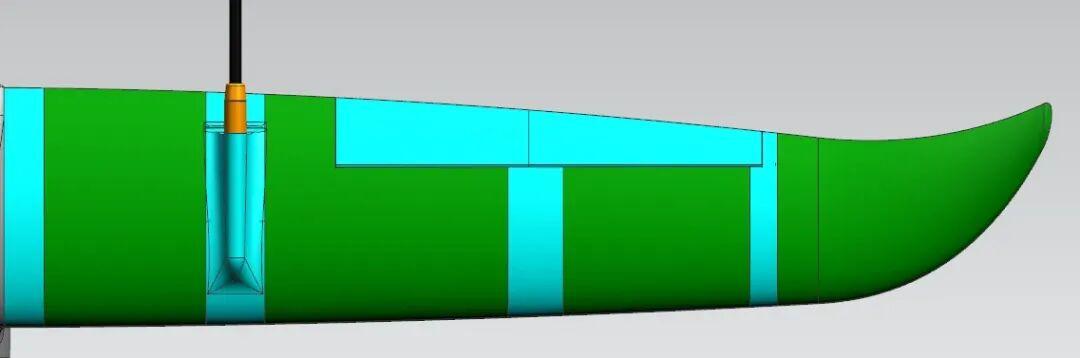
Given that background, the project is worth trying. This slicing logic has not yet been tested hands-on here, and readers who try it are welcome to share their results in the comments.
Have questions about this article? Feel free to contact us at [email protected] — we’re happy to help!
Frequently Asked Questions
What is WingTruss?
WingTruss is a modified, open-source fork of Bambu Studio that generates truss-style infill for 3D-printed wings. Instead of modeling a rib skeleton in CAD, you slice a solid wing and let the slicer create crossed diagonal walls and lightening holes from adjustable parameters.
Is WingTruss free and open source?
Yes. WingTruss is published under AGPL-3.0 on GitHub as Deneb-Systems/BambuStudio, tagged wing-truss-v0.1 and based on Bambu Studio 02.08.02.60. The source is public and you can compile it yourself, though the network plugins are removed so it slices offline only.
Which 3D-printed parts can use WingTruss infill?
WingTruss suits slender parts that mainly carry unidirectional bending, not just wings. Typical candidates include multirotor arms, tail fins, vertical stabilizers, fairings, propeller models, wind tunnel models, truss beams, racing car rear wings, and boat keels, or any long structural shell.
Does WingTruss slow down slicing?
No. The algorithm is still plain linear infill with a small offset added per layer, so slice times stay close to normal. The visible change is structural: the infill lines stack into crossed diagonal walls instead of an even grid or gyroid pattern.
Does WingTruss replace carbon tubes in a wing?
No. In most practical 3D-printed wing designs the primary bending moment is still carried by carbon tubes, while WingTruss infill adds torsional stiffness and stops the thin skin from buckling. The slicer simply routes the infill around existing carbon tube holes and spar slots.
About Aomway
Aomway is a technology company specializing in drone and FPV equipment, publishing in-depth analyses of motor control, embedded hardware, and open-source robotics projects. With over 15 years of industry experience, Aomway covers the full spectrum from flight controllers and FPV goggles to thermal imaging cameras and long-range datalinks for the global drone community.